


Skip to content
View in the app

A better way to browse. Learn more.

The Shed End - Chelsea FC Forums

A full-screen app on your home screen with push notifications, badges and more.

To install this app on iOS and iPadOS
  1. Tap the Share icon in Safari
  2. Scroll the menu and tap Add to Home Screen.
  3. Tap Add in the top-right corner.
To install this app on Android
  1. Tap the 3-dot menu (⋮) in the top-right corner of the browser.
  2. Tap Add to Home screen or Install app.
  3. Confirm by tapping Install.

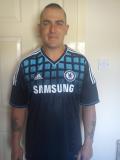
gary thompson

Members
  • Joined

  • Last visited

  1. thanks to all who replied,its great to be onboard,just finding my way around the forum, ,yeh some runs off games coming up,am off work just now with a slipped disc so getting to see more games,its brilliant ,come on the chelsea makes us all proud
  2. hi everyone,glad to be joining all of yous on the shed end,i have just registered and i am looking forward to being part of it,i have always supported chelsea from a very young age and will always follow ,keep the blue flag flying high, gary from paisley scotland
Background Picker
Customize Layout

Account

Navigation

Search

Search

Configure browser push notifications

Chrome (Android)
  1. Tap the lock icon next to the address bar.
  2. Tap Permissions → Notifications.
  3. Adjust your preference.
Chrome (Desktop)
  1. Click the padlock icon in the address bar.
  2. Select Site settings.
  3. Find Notifications and adjust your preference.