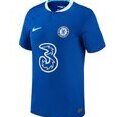
September 18, 20241 yr Hi everyone. I have recently purchased a Chelsea shirt from the megastore for me and my girlfriend. She wants us both to wear them to a game we are going to next week at Stamford bridge. We had our names printed on the back but one of the letters on mine have extra printing so don't look right. Will they reprint it for me if I take it back as I'm about 40 miles away and don't want a wasted trip. Any help would be appreciated 👍 Thanks!!
September 18, 20241 yr You'll need to call them as the Megastore use Fanatics for online orders! What's the extra printing? Couldn't you just change your name by Deed poll for a week? 👀
September 18, 20241 yr What about the poor Chelsea fan who got attacked cause he had PEDRO on the back of his shirt unfortunately for him the R had faded away 🤣.
September 18, 20241 yr 1 minute ago, bluehaze said: What about the poor Chelsea fan who got attacked cause he had PEDRO on the back of his shirt unfortunately for him the R had faded away 🤣. That was tragic.





Create an account or sign in to comment